
See it working
See what you get, and what your customer sees.
You do the survey and the fitting. We do the paperwork in your name. Your customer gets their own quote page that keeps selling while you're on the next job. Have a click round the demo below.
Try it yourself
Have a click round a demo installer
Northbank Energy is a made-up installer with made-up customers, so you can see the real screens without anyone's details. Buttons that would send a form are switched off in the demo.
 You see
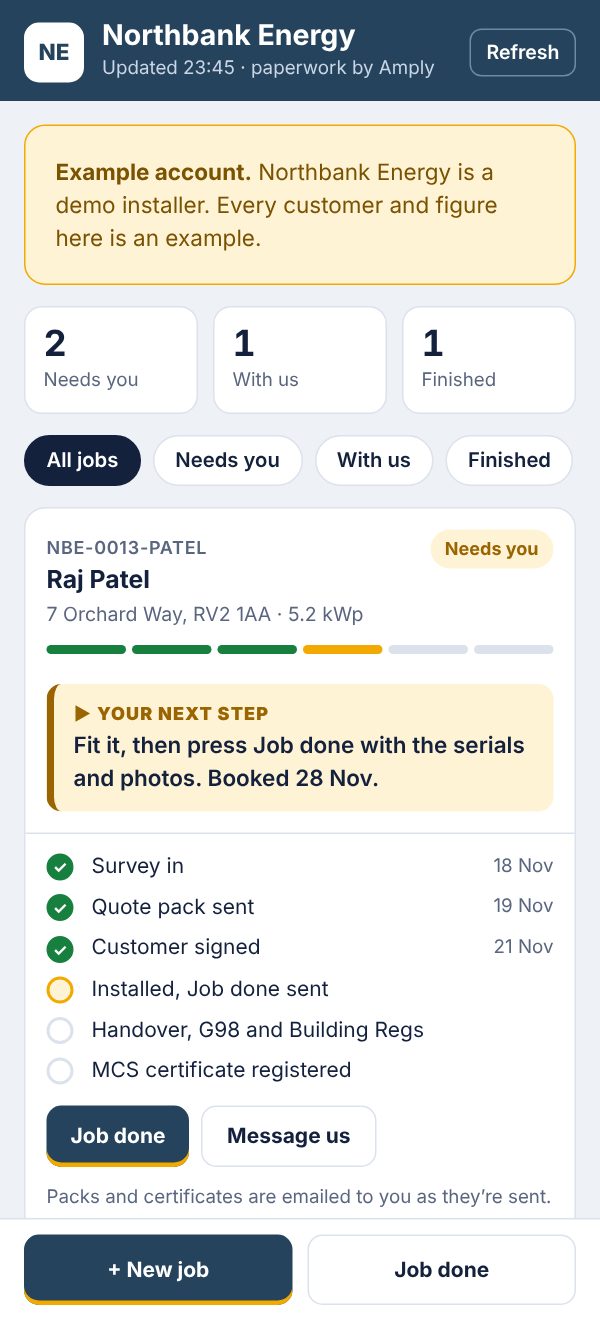
Your jobs page
Every job, where it's up to and what you need to do next. Your next step is highlighted so you can't miss it.
Open the jobs page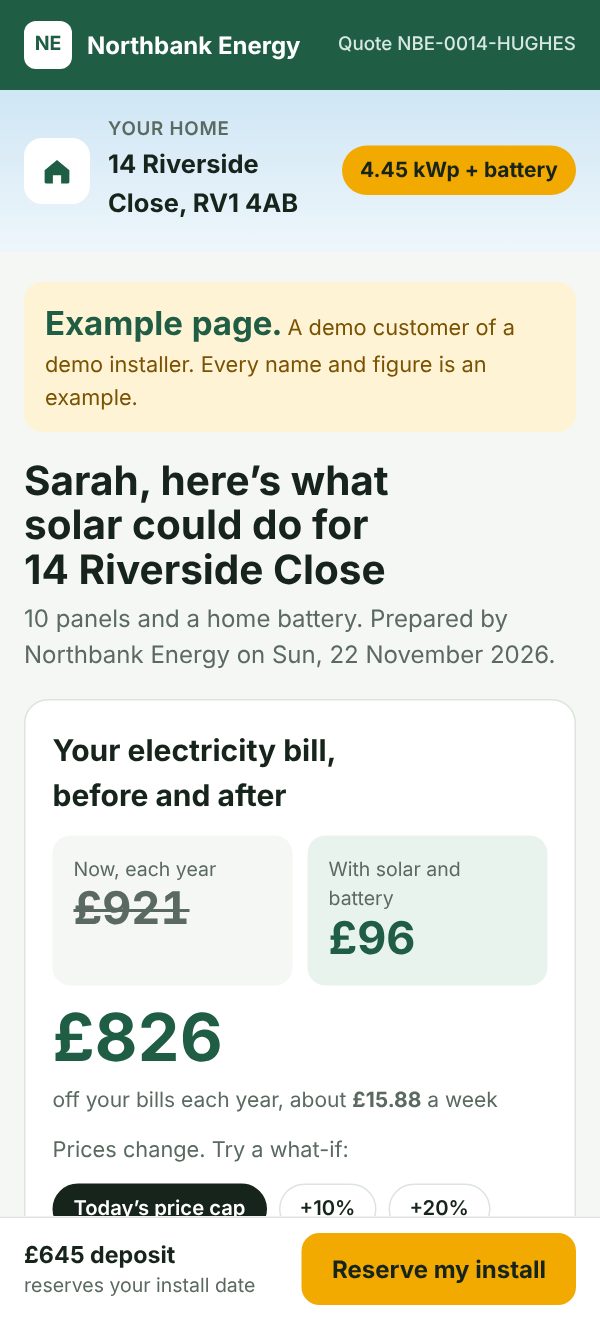 Your customer sees
Their quote page
Their bill before and after, battery on or off, what-ifs if prices rise, and one button to reserve the install. In your name, not ours.
Open a quote page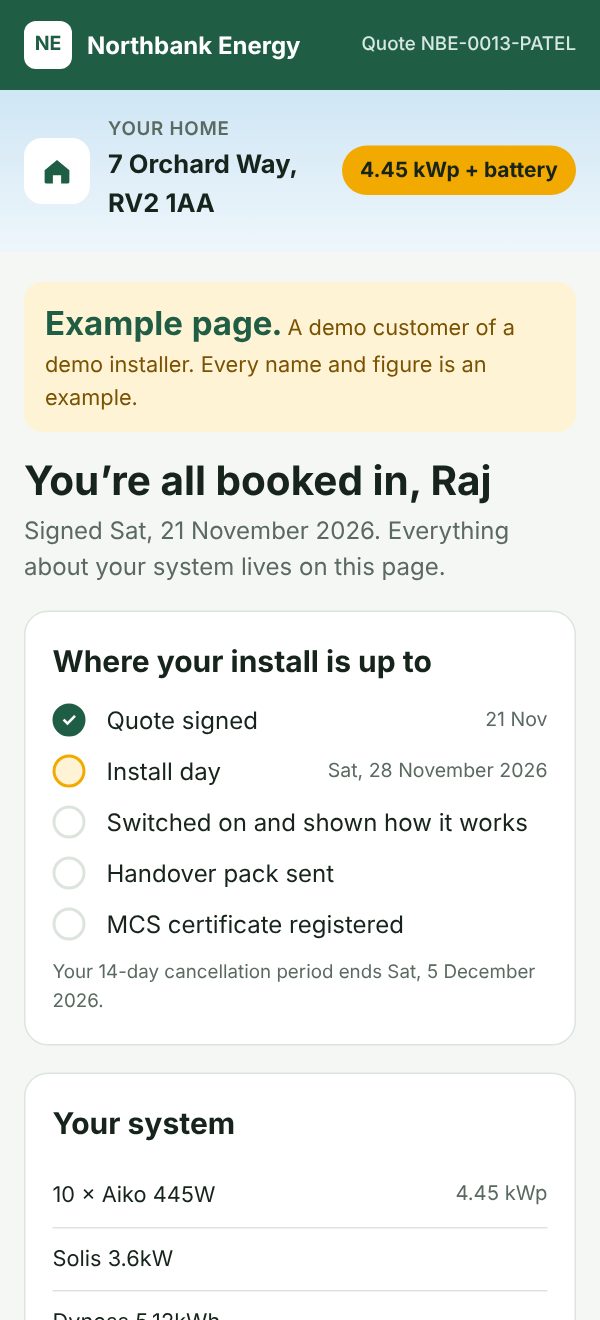 After they sign
Their install tracker
The same link turns into a tracker: install date, cooling-off and what happens next. Fewer "any news?" calls for you.
Open a signed jobBest on your phone. That's where you and your customers will use it.
One job, start to finish
Who does what
This is the order every job runs in, from survey to certificate.
- 1You survey and press New jobPhotos, kit and price from your phone before you leave the drive.You
- 2Quote pack back next working dayDesign, MCS estimate, proposal and a second-person check. Surveys in by 1pm.Us
- 3Your customer opens their own pageTheir bill before and after, price-rise what-ifs, battery on or off, and one button to reserve the install.Customer
- 4They sign onlineSigned copy and cancellation rights sent automatically. The page flips to "You're all booked in".Customer
- 5You fit it and press Job doneThe form is already filled in with their kit. Add serials, MPAN and photos.You
- 6Handover pack, G98 and certificateHandover pack to your customer, G98 sent for you, certificate registered. Every step ticks off on your jobs page.Us
The upgrade
A quote that keeps selling
A PDF gets read once, then sits in an inbox. A live page lets your customer work it out for themselves, at their kitchen table, with nobody pushing.
| Quote pack by email | Quote pack + live page | |
|---|---|---|
| Quote pack, proposal and MCS estimate | PDFs | PDFs, plus their own page |
| Their bill before and after | Figures on paper | Live, with what-if buttons |
| Battery with or without | Fixed figures | One tap to compare |
| Signing | Link in an email | "Reserve my install" button |
| After signing | Emails | Progress tracker, same link |
All within the consumer code: no pressure, no fake deadlines, savings based on the MCS estimate with every assumption stated.
Your time back
How long does your paperwork take you now?
Move the sliders to your own numbers. That's the time you're buying back.
"With us" times are from our most recent test job (23 November 2026): New job form 8 min 45 s, Job done form 6 min 35 s. Everything else is done by our team.
Want to see it with your own jobs?
15 minutes on a call. We'll run a job through live and answer your questions.